Pickleball League Software
For club seasons that come back every week: keep one league home for divisions, schedules, and cumulative standings, so captains see the story of the year, not just tonight’s scribble on a whiteboard.
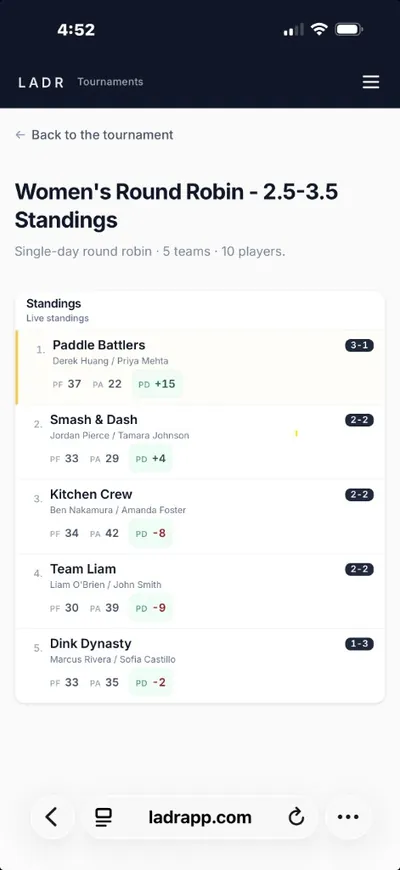
- Same league entity all season
- Week-over-week history
- Standings that accumulate
When ranking movement, not just calendar play, is the headline for a night, read how weekly ladder nights stay honest on phones, or walk through the ladder tournament app organizer playbook for a week-by-week setup without spreadsheets. If your roster breathes week to week (subs, neighbors, drop-ins), start from flexible social league nights instead.
Why league directors use LADR
You are running a season, not a flyer. These are the pains we hear from recurring club leagues, and how we address them.
- Season memory: week eight still knows what happened in week two without digging through chat exports.
- Division clarity: house leagues and flights stay labeled so standings never look like one anonymous blob.
- Captain-ready summaries: one link shows what matters for playoffs: wins, losses, and context you already entered on court.
- Less “finals math” night: tiebreakers and placement live in the same view you used all season, not a surprise spreadsheet at 9 p.m.
Free to start · no credit card
Start this season's league freeLeague shapes we see in clubs
These are recurring-season patterns, not one-off events. Pick the shape that matches how your club actually names nights on the calendar.
House league flights
Stable flights with promotion/relegation stories; standings carry week to week for the same division label.
Club championship trails
Multi-week builds toward a club final, seeding should read from the season, not from three different captains’ notes.
Partner-rotating club seasons
Partners change but the league object stays constant, pairings and season totals still need a single home.
Inter-club seasonal play
Friendly series between programs where you still want a season ledger, not a disposable scoresheet per meet.
How a season runs
Think in seasons: stand up the league object once, then loop weekly without rebuilding identity or history.
- 1
Define the league spine
Courts, divisions, and naming that persist, this is the entity players recognize all year.
- 2
Attach your roster pool
Import or invite members once; weekly changes are deltas on that pool, not a new file each Monday.
- 3
Publish each league week
Open the Tuesday (or Thursday) block, lock matchups, and let courts run while you stay on the floor.
- 4
Close the week into standings
Scores land in the same season view, no copy/paste into a shadow sheet before you announce next week.
FAQ: pickleball league software
- What is pickleball league software?
- Software built around a season calendar: the same league week after week, with matchups, results, and standings that roll forward so finals and seeding have a paper trail you did not hand-merge from five tabs.
- How is that different from a one-night tournament?
- League software optimizes for history across many Tuesdays: returning divisions, season totals, and a link players bookmark, not a single-day draw that gets archived after Saturday.
- Do players need an app?
- No. They use the browser link you publish for the league; standings reflect the season as you enter scores.
- We run mixed skill levels in one league, does that fit?
- Yes. The intent is still a defined season with a roster pool and recurring nights, skill mixing is a division choice, not a different product problem.
- How do I organize a pickleball league?
- Define the league spine once, courts, divisions, and a recurring schedule, then invite your player pool. Each week is a session within that season object: publish matchups, enter scores from the floor, and let standings accumulate. No rebuilding identity or history from scratch each Tuesday.
- Is there free pickleball league management software?
- Social leagues are free, no credit card required to get started. Clubs can run a full recurring season with divisions, weekly matchups, cumulative standings, and season archives. DUPR submission and online payment collection are coming soon.
Stand up this season’s league home
Free for social leagues — no credit card needed. Create the league, run a real week, and see if players treat your standings link like the schedule, not like a screenshot of the week.