Pickleball Ladder Software
Built for the night where the story is “who moved?” Publish challenges, record results from the floor, and let the ladder answer placement questions so you are not re-sketching lines while people warm up.
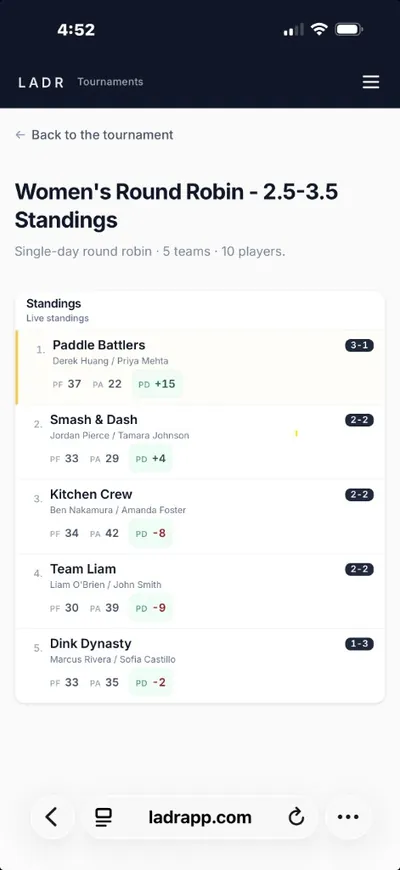
- Challenge-aware standings
- Tap-in results between games
- One ladder link
Ladder nights often hang off a broader club calendar, when the spine is the full season ledger, read recurring league software on LADR. When your ladder night is actually a pool block (everyone plays a set of games), the mechanics line up with round robin pools in the browser.
Why ladder hosts switch off paper
Ladder arguments are almost never about pickleball physics, they are about whether the sheet matches what people saw. LADR makes the sheet obvious.
- Challenge traceability: who issued what and when it resolved lives next to the placement it changed.
- Movement you can defend: when someone asks why they dropped two rungs, the ladder view shows the games behind it.
- Floor-speed entry: log upsets between games without walking to a clipboard that half the room thinks is outdated.
- No redraw loop: skip exporting to a spreadsheet just to redraw arrows for Instagram after every night.
Free to start · no credit card
Start your ladder night freeLadder shapes in real clubs
These are placement workflows, not generic league calendars. Pick what matches how your ladder actually behaves.
Classic up-and-down ladders
Winners climb a defined number of courts; losers shift down, placement rules live next to the standings, not in a PDF only the commissioner has.
Challenge windows
Structured windows where challenges lock before play; the room sees frozen expectations before balls fly.
King-of-the-court ladders
Short cycles where who holds a court matters; rapid turnover still needs a placement story at the end of the night.
Hybrid ladder + league hooks
Some clubs ladder Tuesday and score Thursday house league in the same tool, different intent, same organizer phone.
How ladder night flows
Ladder night is a loop of challenges in, results down, placement out, tighten each loop so the next week starts clean.
- 1
Open the ladder week
Freeze the starting ladder and any challenge rules so the room agrees on the board before warm-ups.
- 2
Record challenges and results
Enter outcomes as courts clear, movement should follow the games, not a delayed spreadsheet merge.
- 3
Publish movement
Let the ladder reorder in the same link captains already have, no second photo for “official” placement.
- 4
Carry state forward
End the night with a ladder snapshot that becomes next week’s start, no manual rewrite of names and arrows.
FAQ: pickleball ladder software
- What is pickleball ladder software?
- Software where the job is placement truth: who challenged whom, what changed after Tuesday, and why someone sits where they sit, separate from “we also have a league calendar” problems.
- We already run a league, do we still need ladder-specific tooling?
- If Tuesday is ladder night and Thursday is house league, you might use both pages’ workflows inside LADR; the ladder page is for the night where movement is the product, not the season table alone.
- Can players see challenges on their phones?
- Yes. They refresh the ladder link you publish; it reflects the challenges and results you enter, not a photo of a whiteboard.
- Is this only for cutthroat ladders?
- No. Casual ladders still fight confusion; the goal is a readable movement story, whether the stakes are bragging rights or court one.
- How do I set up a pickleball challenge ladder?
- Publish the starting ladder ranking, open a challenge window for the week or night, and record results as challenges resolve. The ladder updates placement without redrawing the board, each session snapshot becomes the start of the next week automatically.
Give ladder night a single source of truth
Free for club ladder nights. Run one challenge-heavy night, enter results from the floor, and see if captains stop debating the photo of the board.