Pickleball Club Software
For clubs that run more than one thing: tournaments, leagues, ladder nights, and open-play sessions under one account. Shared rosters, shared standings, one link members already trust, instead of four tools that each know a quarter of the story.
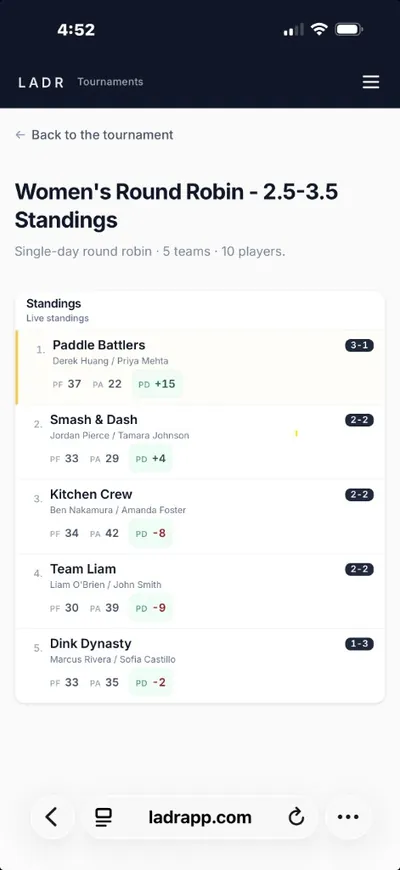
- One account, every format
- Shared rosters across play
- Built for real club calendars
Zoom into individual formats: tournament software, league software, ladder software, and pod play. If your club reports to DUPR, see how LADR supports DUPR-rated events. Looking for the broader club walkthrough? Start with LADR for clubs.
What clubs get from one system
The cost of splitting play across tools shows up at the edges: duplicate rosters, broken history, a member who can't remember which app has which night. One system fixes those gaps.
- Roster reuse: members exist once; league night and Saturday's tournament pull from the same pool.
- History that travels: a player's league results, ladder placement, and tournament finishes live under one profile, not three apps.
- Organizer separation of duties: the league director and the tournament director both work inside the same club, without stepping on each other's formats.
- One bookmark for members: the link members save is the club's, not a specific event's; tonight's session and next month's tournament both appear there.
Free to start · no credit card
Set up your club on LADR freeWhat a club runs on LADR
These are the pieces most clubs already juggle. Club software's job is to keep them interoperable, not identical.
Tournaments and draw days
Club championships, charity brackets, multi-stage opens, with guest-friendly event links and mobile score entry.
Weekly leagues
Recurring seasons with divisions, cumulative standings, and a season link captains bookmark for the year.
Ladder nights
Challenge-based or up-and-down ladders where movement is the product and paper boards don't hold up.
Open play and drop-in sessions
Sign-up, court rotation, and score tracking for the regular sessions that make a club feel like a club.
How clubs set up LADR
Clubs don't start with a big migration; they start with one format that was annoying and grow. The order below is the one we see most often.
- 1
Stand up one format first
Pick the noisiest pain, usually tournament day or ladder night, and run it on LADR. Keep everything else where it is for now.
- 2
Bring the roster across
Add members as they show up; by the third event, most of your active players exist once and reappear automatically.
- 3
Move the next format in
Add weekly leagues or open-play sessions when you're ready; they inherit the roster instead of starting from scratch.
- 4
Point members at one link
Replace the pile of bookmarks with a single club landing page, members see what's live this week without hunting.
Where we're headed
LADR starts with play: tournaments, leagues, ladders, pods, and sessions. Club software naturally grows from there, membership, payments, court reservations, and communication, but we ship the play half first, well. Clubs that start here now get the front half right and won't have to re-platform when the rest arrives.
FAQ: pickleball club software
- What does pickleball club software cover that single-event tools don't?
- Most tools solve one shape, a bracket generator, a league spreadsheet, a session sign-up. Club software keeps tournaments, leagues, and sessions under one account so rosters, standings, and the players' bookmark don't fracture across four systems.
- Is LADR a full club management suite today?
- LADR is the play-first half of that vision: we run your tournaments, leagues, ladders, and sessions cleanly, and we're expanding from there. You can start with a single format and grow into the rest without switching tools.
- How do shared rosters help?
- Members appear across the formats you run, league night, Saturday tournament, Tuesday ladder, without being re-entered each time. One join, one profile, one history.
- Do guests and non-members need accounts?
- No. Guests open the event link in a browser for tournaments or drop-in sessions. Members get a bit more (history, standings across formats) when they sign up.
- Can multiple organizers run different formats under one club?
- Yes. A league director and a tournament director can both operate inside the same club account, each on the format they own, with a shared player base underneath.
Run your club on one account
Free for social leagues and pod play. Start with the format that hurts most, grow into the rest, and give members one link worth bookmarking.